Async video messaging
Say it with a video,
not another meeting
Record your screen and camera, get a shareable link in seconds. Your team watches on their own time. No scheduling, no calendar tetris.
Free forever for individuals. No credit card required.
Trusted by remote teams at
How ScreenSense works
Three steps to replace your next unnecessary meeting
Record your screen
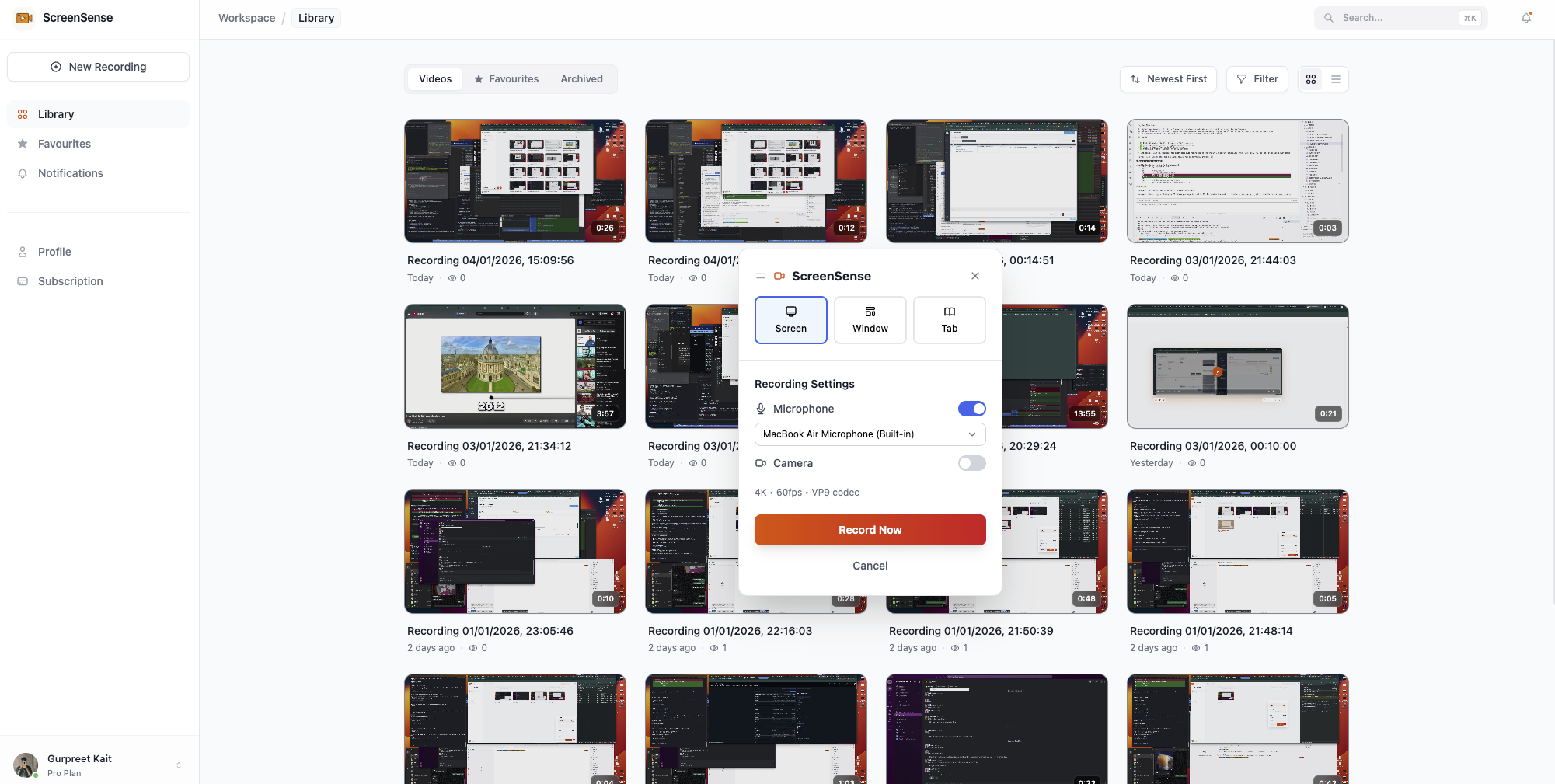
Click record, select a window or your whole screen. Add your microphone to explain what you're showing. Done in seconds.
Get a shareable link
The moment you stop recording, you get a link. No waiting for uploads. Paste it anywhere — Slack, email, Notion, Linear.
They watch when ready
No account needed to view. Your video plays instantly in any browser. They watch at 1.5x, skip ahead, or replay the tricky parts.
Everything you need to communicate async
No bloated feature list. Just the essentials, done well.
Instant links
Your video link is ready the moment you stop recording. Share it before you even close the tab.
Screen + audio
Record your screen with microphone audio. Show and tell at the same time — way clearer than screenshots.
No viewer signup
Anyone with the link can watch. No login walls, no "create an account to view" nonsense.
HD recording
1080p capture so every detail is visible. Code, designs, spreadsheets — all crystal clear.
Fast playback
HLS adaptive streaming means videos start playing immediately, even on slow connections.
No watermarks
Your videos look professional. No logos stamped on your content, even on the free plan.
Chrome extension
Record from your browser toolbar. One click to start.
Simple pricing
Start free. Upgrade when your team grows.
Free
For individuals getting started
- 10 videos
- 5 minutes per recording
- 1 GB storage
- No watermarks
Pro
For power users and creators
- Unlimited videos
- Unlimited recording length
- 50 GB storage
- HLS adaptive streaming
- Priority support
Team
For growing teams
- Up to 5 team members
- 100 GB shared storage
- Shared video library
- Team workspaces
- Admin controls
Need more seats or custom features? Talk to us
Built for async-first teams
Replace meetings, not productivity
Engineering teams
Record PR walkthroughs, explain architecture decisions, or demo a bug fix. Your teammates review when they're in the zone, not when your calendar says so.
Design reviews
Walk through your Figma files with context. Stakeholders watch the full explanation instead of asking "what does this button do?" in comments.
Customer support
Show customers exactly how to fix their issue. A 30-second video beats a 500-word email every time.
Remote onboarding
Create reusable training videos for new hires. They watch at their own pace and can replay the tricky parts.
Frequently asked questions
Is ScreenSense really free?
Yes. The free plan includes 10 recordings with no watermarks. After that, Pro is $8/month for unlimited videos. We don't do the "free trial then surprise you with a paywall" thing.
Do people need an account to watch my videos?
No. Anyone with the link can watch immediately in their browser. No signup, no app download, no friction.
How long can my recordings be?
Free plan: 5 minutes per video. Pro and Team: no limit. Most async updates are under 3 minutes anyway.
What browsers are supported?
Chrome, Firefox, Safari, and Edge. We also have a Chrome extension for one-click recording.
How is this different from Loom?
Simpler pricing, no aggressive upsells, and a free tier that actually lets you use the product. We're focused on doing one thing well: helping you share quick video explanations with your team.
Ready to skip your next meeting?
Record your first video in under a minute. Free, no credit card.
Start recording — it's free